Give your listeners a live, at-a-glance programme guide showing every upcoming DJ show and event — complete with show names, DJ profiles, artwork, and broadcast times — fully customisable to match your station's brand.
🚀 Get Started — From $4.95/moThe Shows & Events widget is powered by your station's timeslot schedule. Add each show to the timeslot panel — show name, DJ, artwork, start and end time — and the widget reads it automatically. Listeners always see an up-to-date programme guide, and when the current show ends the widget advances to the next one with no intervention needed.

Use the timeslots panel to map out your entire week's programming. Assign each DJ and show to a time block, add artwork, and the widget picks it up automatically — no manual widget updates needed.
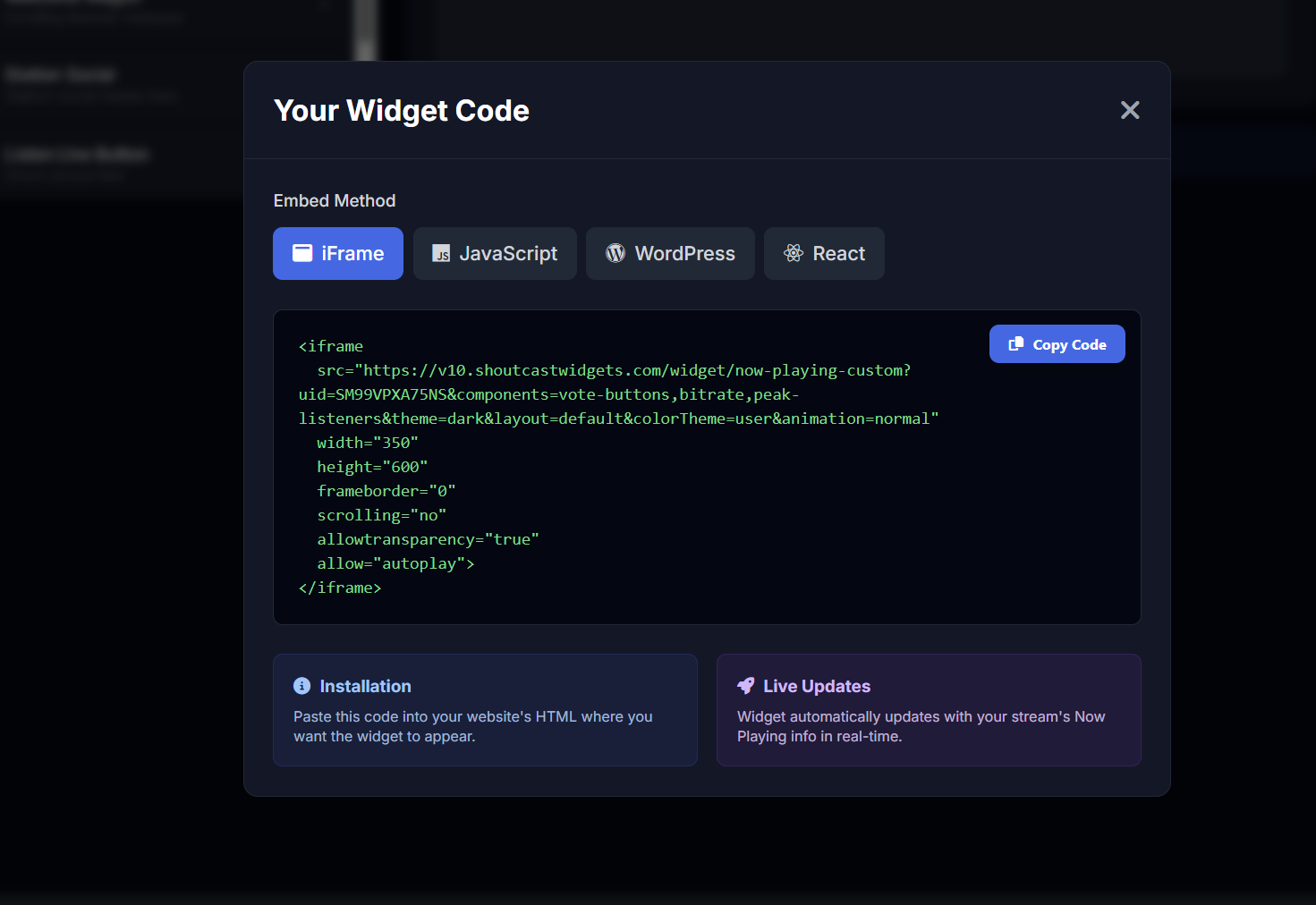
Open the widget builder, choose your layout and theme, then copy your personalised embed snippet — available as iFrame, JavaScript, WordPress shortcode, or React component. Paste it into any page and your schedule goes live instantly.
Map out your entire week's broadcasting in the timeslots panel. Assign each DJ and show to a specific day and time block, add show artwork and descriptions, and the widget presents it all as a clean, browsable schedule for your listeners.
Whether you run a tightly scheduled station or a relaxed mix of shows, the schedule adapts to however you programme your broadcasts.
Generate your personalised schedule embed in seconds. Choose your layout, select a dark or light theme, pick a font, and grab the code — available as iFrame, JavaScript, WordPress shortcode, or React component.
Paste it into any website, blog, or CMS. No coding knowledge needed. The widget reads your timeslot schedule automatically, so there's nothing to update when your programming changes.
A fully-featured recently played list that keeps listeners engaged long after the song ends
Choose how many recently played tracks to display — from the last 5 to 50+ entries. You control the length of your history list.
Automatically fetches and displays album art for each track in the history list via the integrated artist data library.
Pick a dark or light widget theme to perfectly complement your station website design. Both look great on any device.
Choose from hundreds of Google Fonts to match your station's brand typography exactly — no CSS knowledge required.
Optionally display the date and time each track was played, letting listeners look back over the recent broadcast schedule.
Add numbered positions to each track in the list so listeners can easily reference and discuss your recently played history.
New tracks are added to the top of the list automatically as they play — your history stays current with zero effort.
The widget scales cleanly to any screen size — desktop, tablet, or mobile — keeping your track history readable everywhere.
Configure your widget visually and grab the embed code — available as iFrame, JavaScript, WordPress shortcode, or React component.
Open the Timeslots panel in your SHOUTcast Widgets account and create a new timeslot for each show in your weekly schedule
Assign each timeslot a show name, hosting DJ, broadcast day and time, and upload your show artwork
The schedule widget reads your timeslots automatically — no manual widget updates needed when programming changes
Open the widget builder, choose your layout, theme, and font — then copy your personalised embed snippet
Paste the snippet — iFrame, JS, WordPress shortcode, or React — into any page on your website or CMS
The widget advances automatically through the schedule as each timeslot ends — always showing current and upcoming shows
The Shows & Events Schedule widget is included in every SHOUTcast Widgets plan — no extra cost. Set up your schedule in minutes and embed it anywhere.
🚀 Get Started — From $4.95/mo View All Widgets