Decks that feel like vinyl
Cover art spins on each platter. Drop cue points, ride the pitch up to ±8%, nudge the tempo by hand and brake to a stop.
Put live song data on any website, launch a full station site, add TV channels, and DJ your AzuraCast stream from a browser tab. There's no software to install and no hardware to buy.
Widgets · Station websites · Radio + TV · Live DJ booth
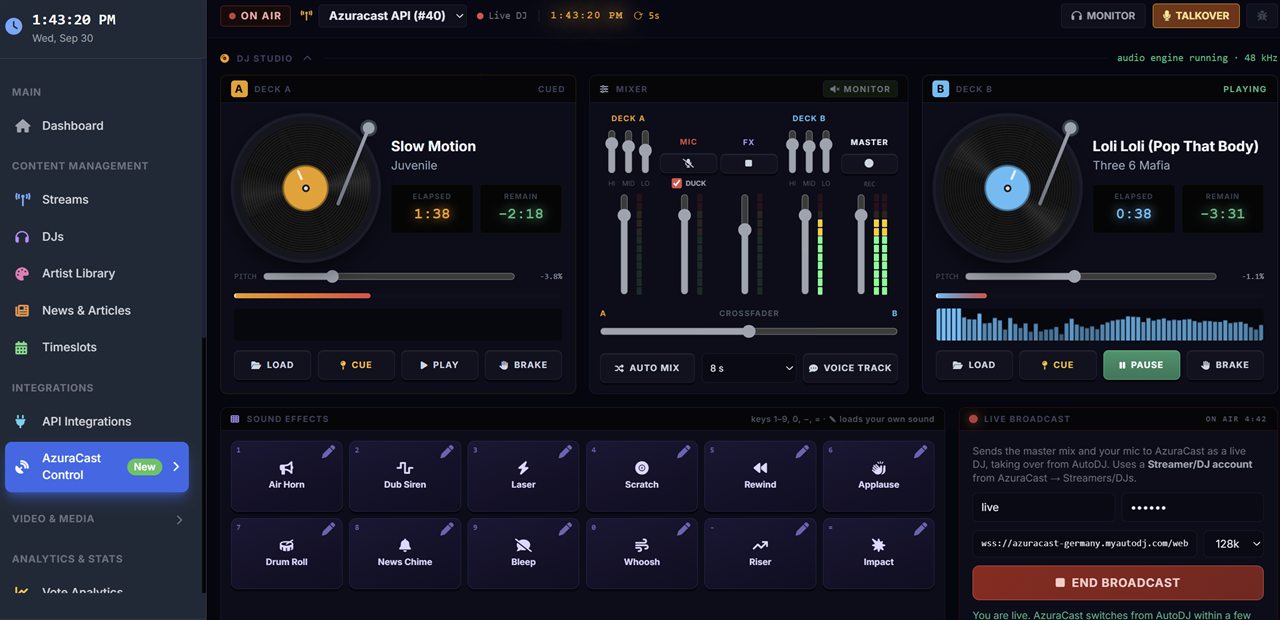
Two decks, a mixer, a mic that ducks the music for you and a board of jingles. When you're ready, one button puts you on air through AzuraCast. Nothing to install, nothing to route.
Cover art spins on each platter. Drop cue points, ride the pitch up to ±8%, nudge the tempo by hand and brake to a stop.
Three-band EQ and a fader for each deck, an equal-power crossfader and stereo meters. Auto Mix handles the blend when your hands are busy.
Sign in with your AzuraCast DJ account and press Go Live. AutoDJ hands over while you're on and takes the station back when you sign off.
Hold Space or open the mic and the music drops under your voice, then rises again. No howling feedback loop through your monitors.
Twelve broadcast-ready effects, from air horn to news chime, each on its own key. Any pad can carry a drop you made yourself.
Not doing a live show today? Record a link, listen back, then queue it to air straight away or after the current song.
A live countdown on the current song, skip and restart, the upcoming queue, recent plays and a request line that searches your whole library.
Capture the master output with one click and keep the file for your podcast feed, an on-demand replay or your next demo reel.
Rank songs by listener votes, freshness and play history, then let station IDs and ads slot themselves in between.
Paste your AzuraCast API key under API Integrations and your queue and library appear straight away.
Drag songs onto the decks, check your levels and line up the pads you'll need.
Enter your DJ login. A few seconds later, your audience is listening to you.
You'll need: an AzuraCast station with Streamers/DJs switched on, a DJ account, and a desktop browser such as Chrome, Edge or Firefox.
Bring video into your network without signing up for a second platform. Your radio streams and TV channels share one panel, one website and one audience.
A free website built for radio-and-TV networks. Visitors flick between your stations and channels, see what's on right now, favourite songs and find the tracks your whole network loves most.
Run TV channels in the Video Studio with playout controls and a what's-on display, whether they come from an IPTV-CP channel or a MediaCP server.
Place a live TV player on any page, right next to your radio player, with the same copy-and-paste code as every other widget.
Included on every plan. Simulcast pairs a minimum of one radio stream with either an IPTV-CP channel or a MediaCP server.
Your widgets, shows, DJs, numbers and connected services sit in a single panel, and every change you make there shows up on your site within seconds.
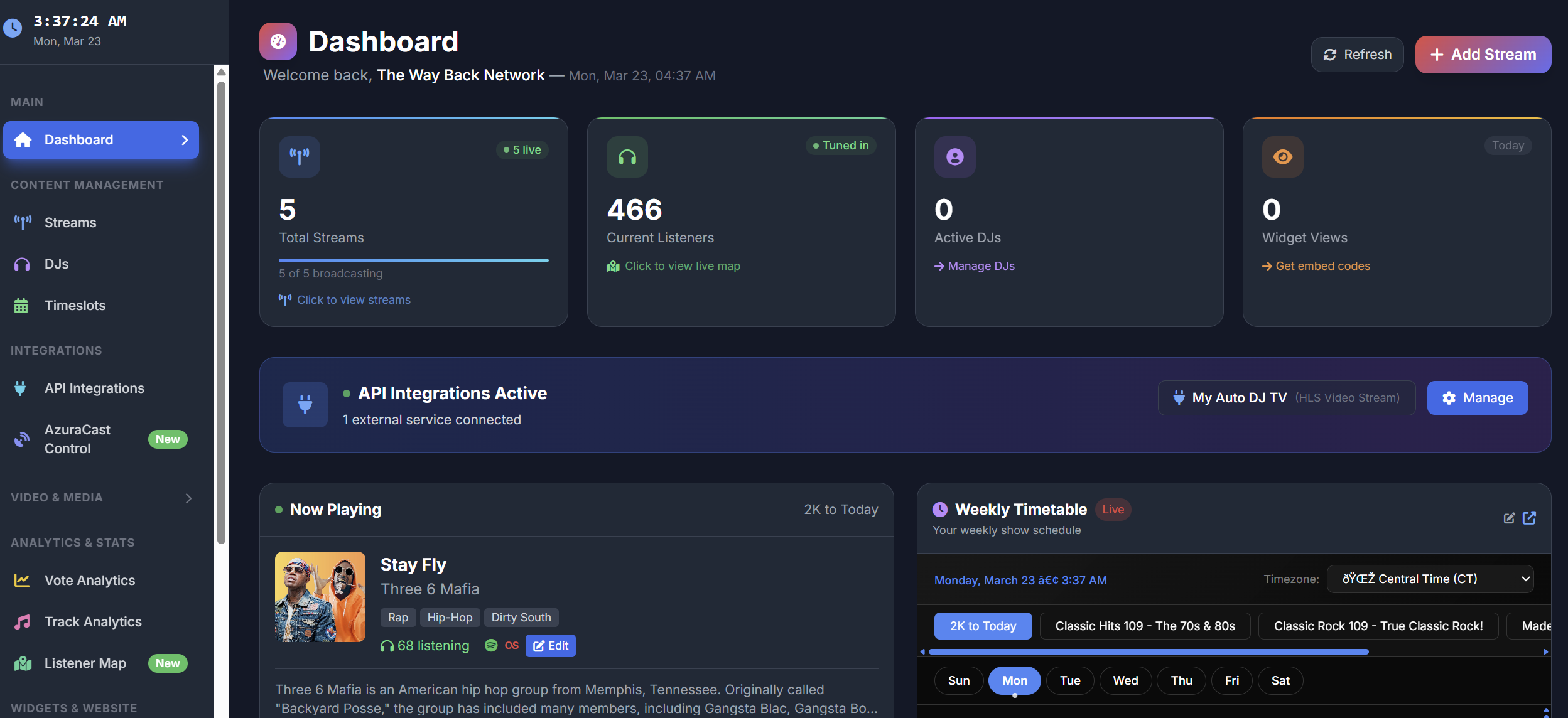
Who's listening, who's on air and whether every stream is healthy, with each tool a click away.
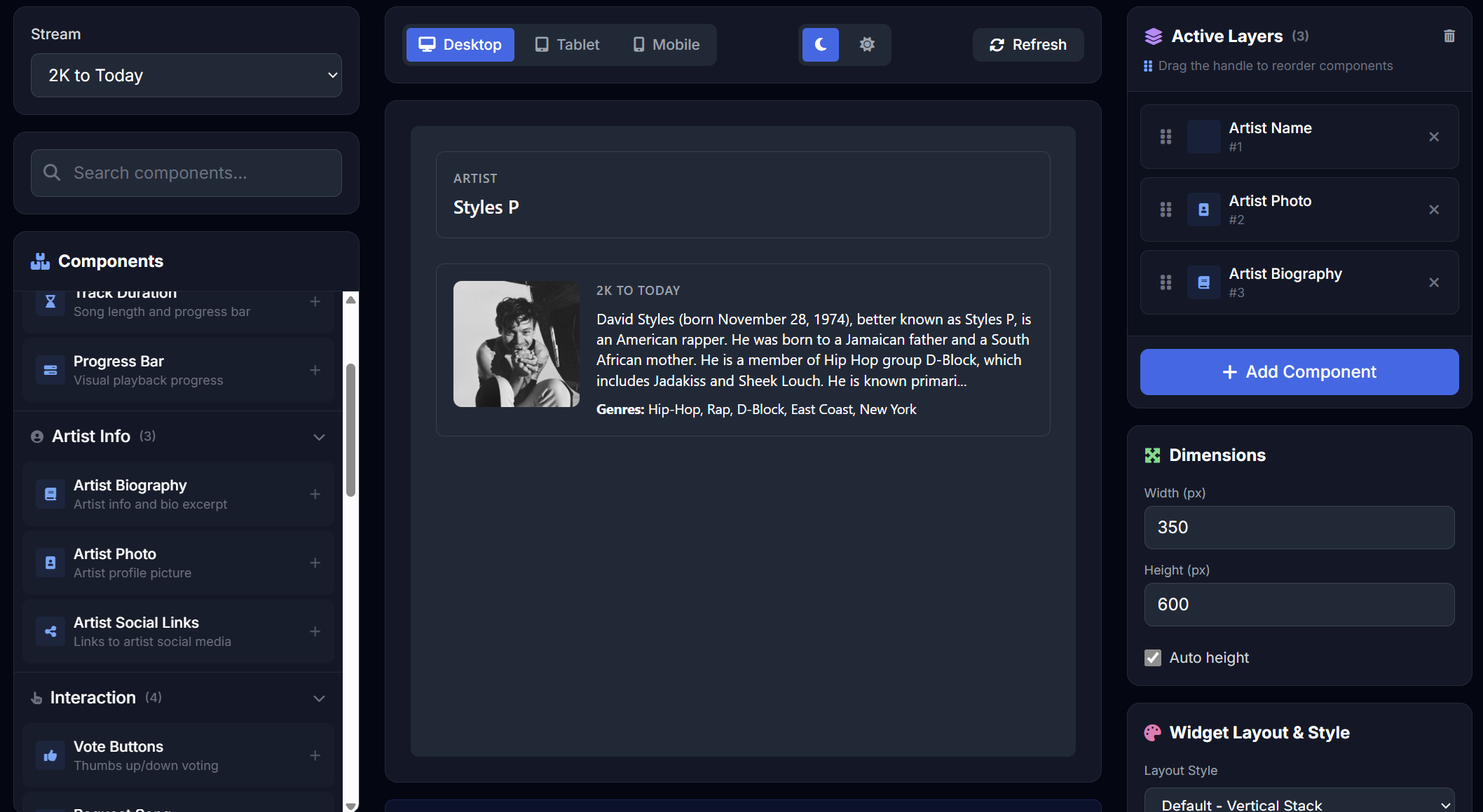
Choose a widget, dress it in your station's colours and fonts, watch the preview update, and copy a single line of code.
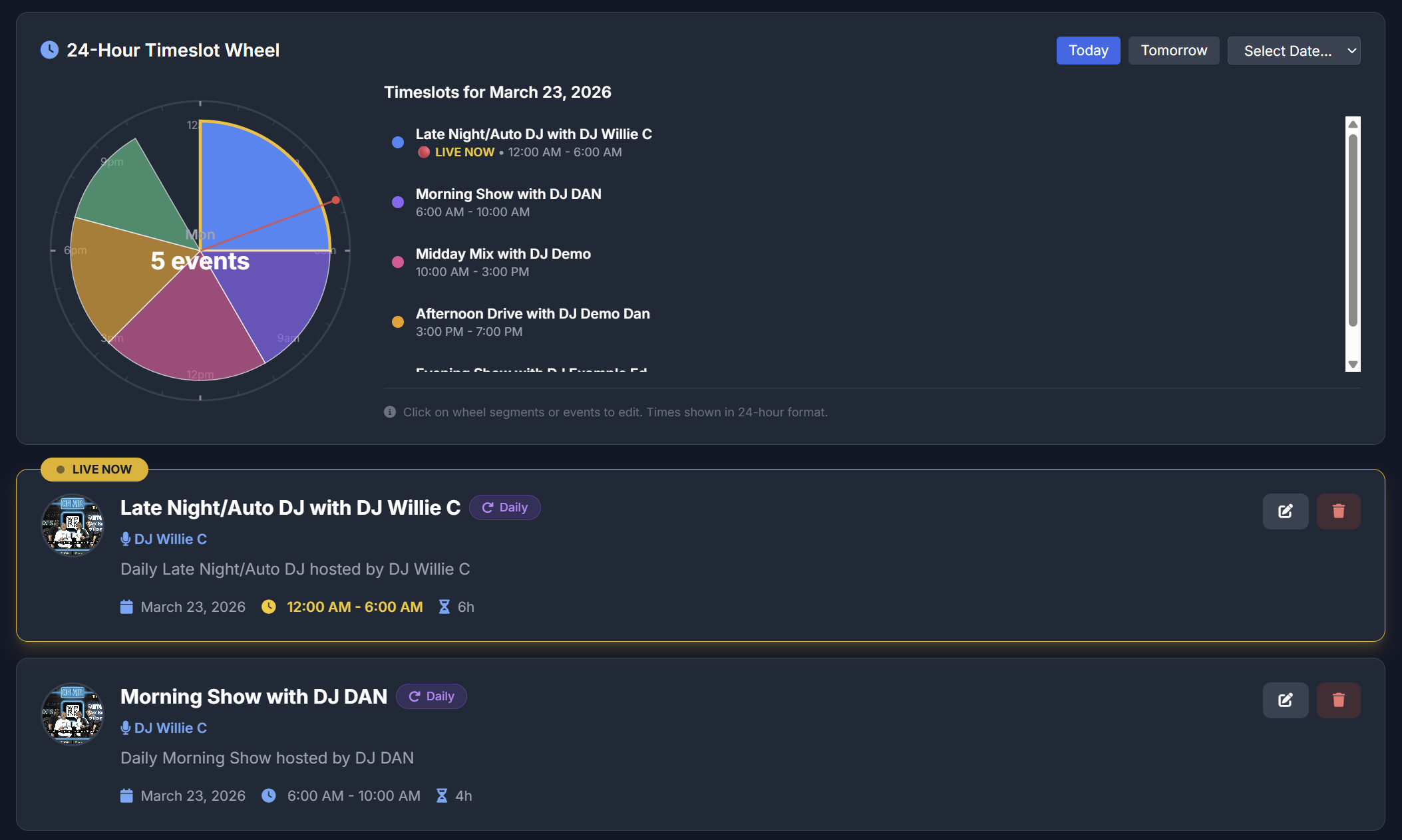
Lay out shows on a 24-hour wheel, assign your DJs, and every schedule widget on your site follows along.
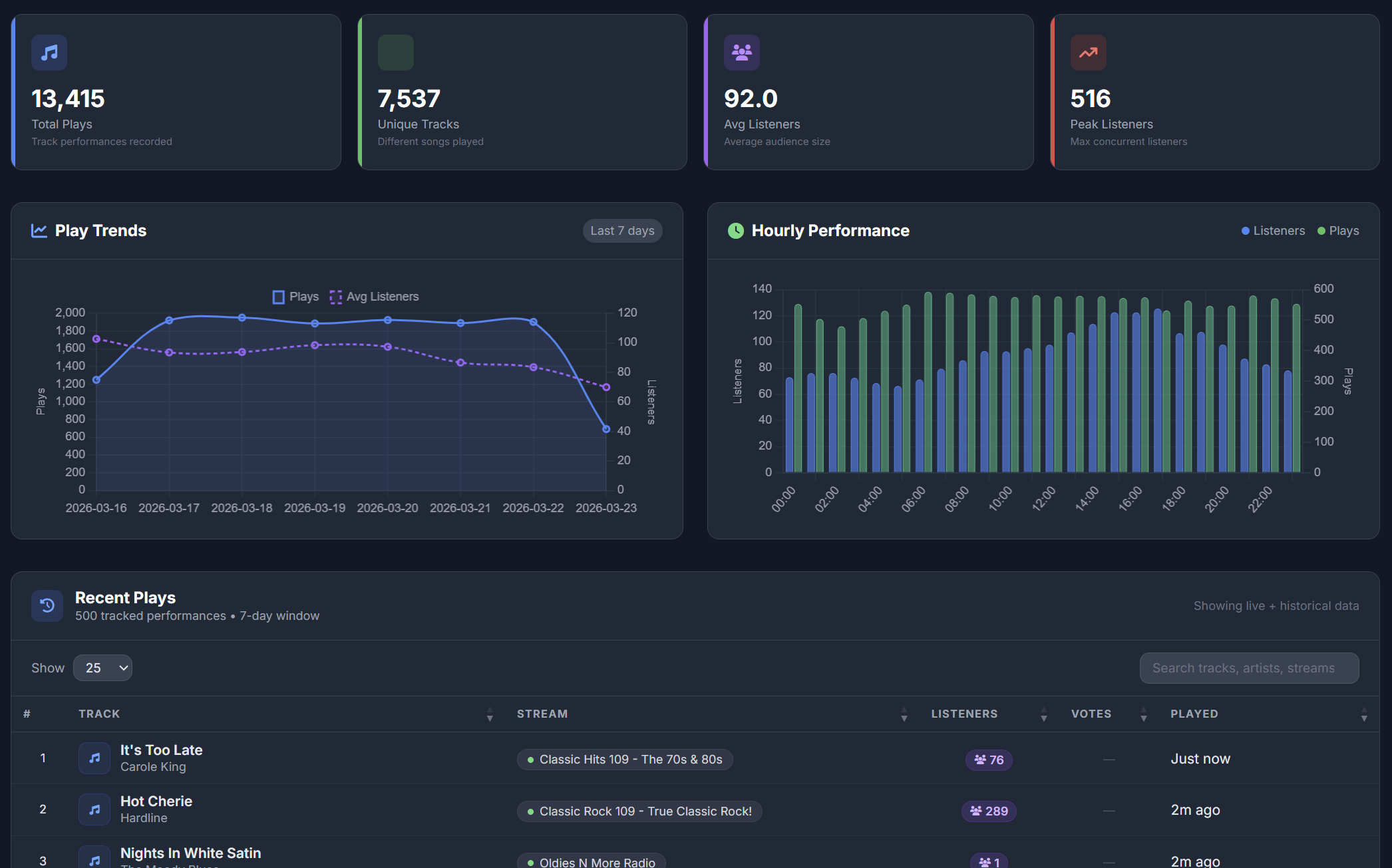
Learn which songs hold your audience, when the most people tune in, and where the station is heading.
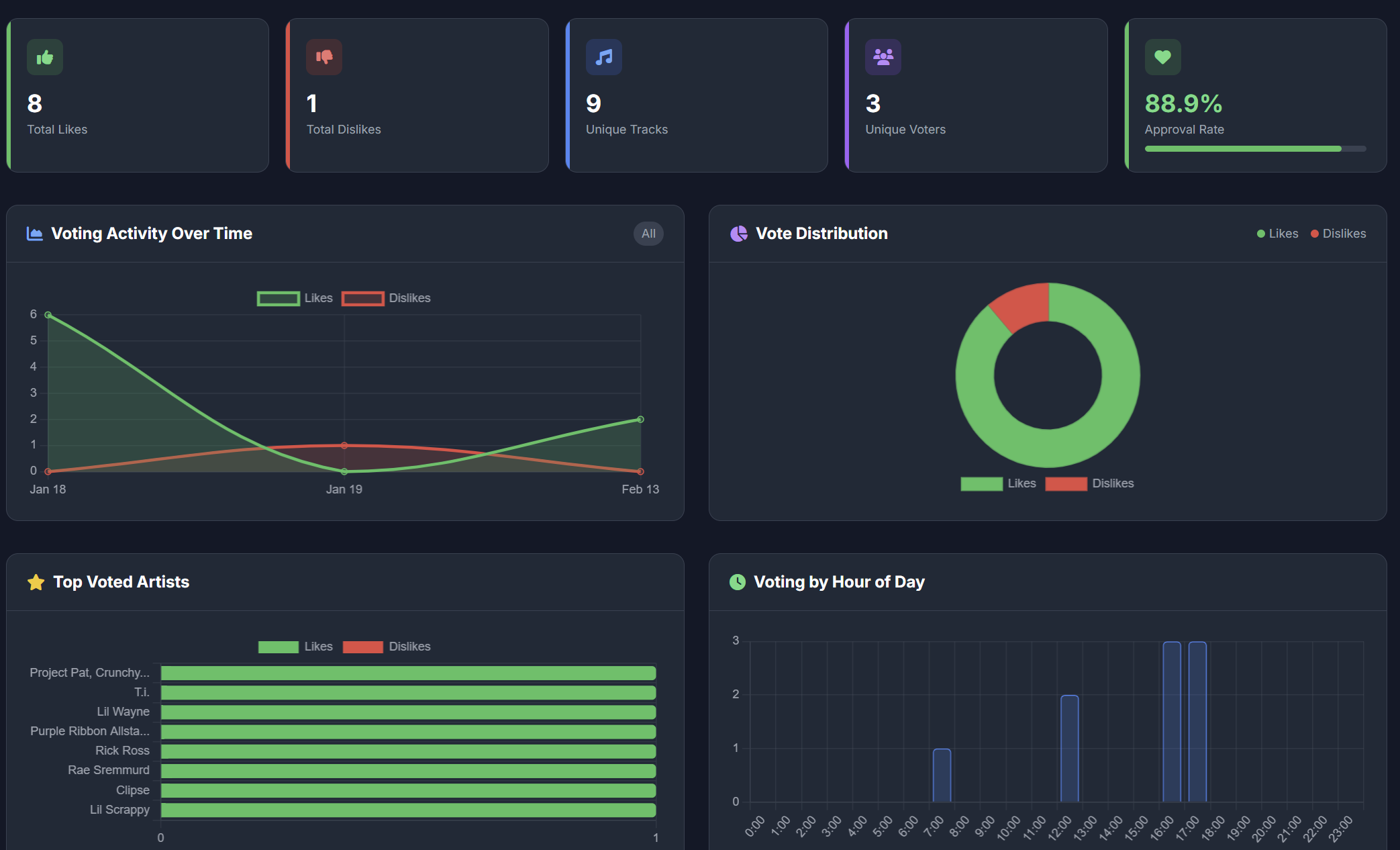
A thumbs up or down on the song that's playing, straight from your site, turned into a chart you can program from.
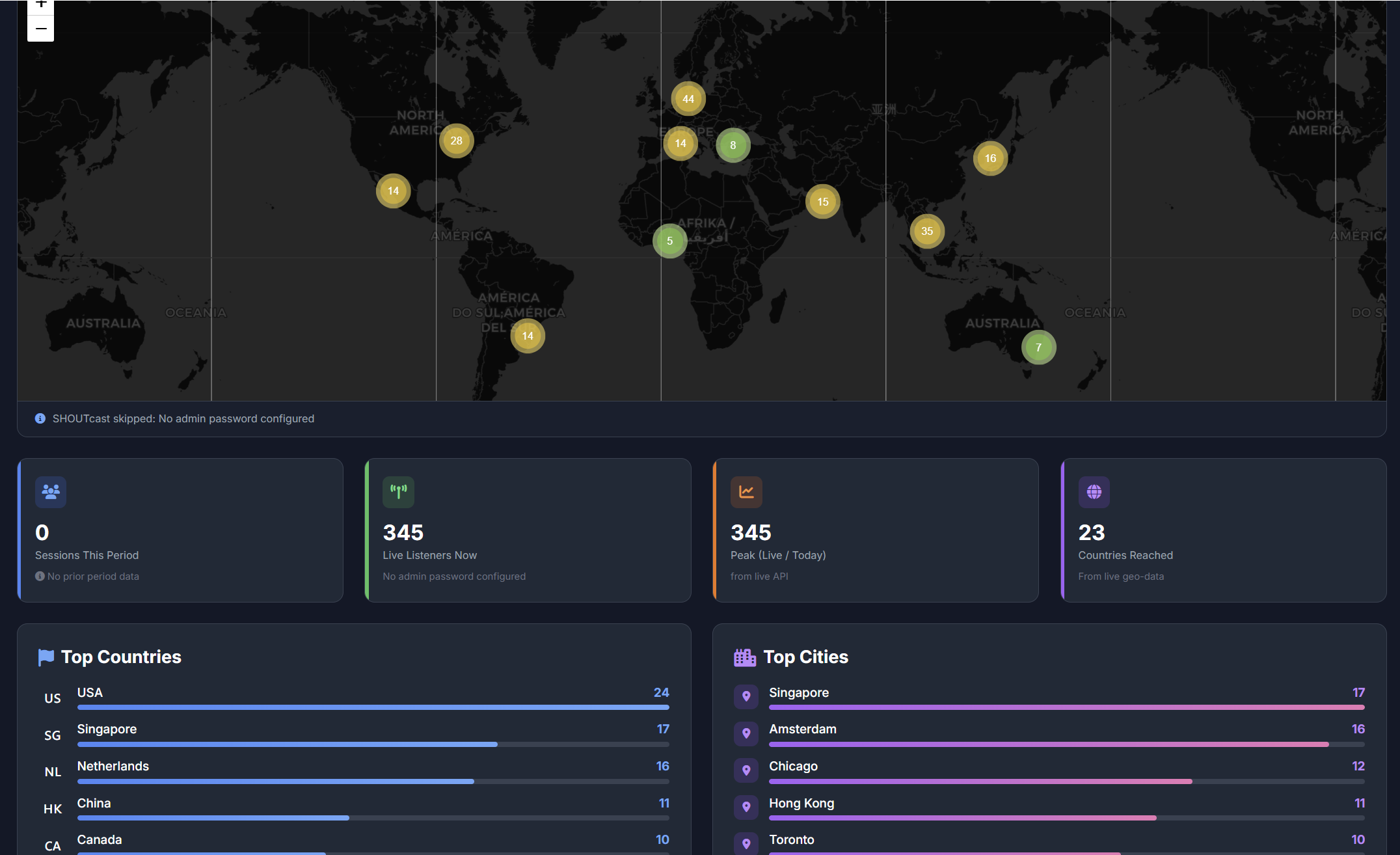
Every listener appears as a pin on a live map, inside your panel or embedded on your own pages.
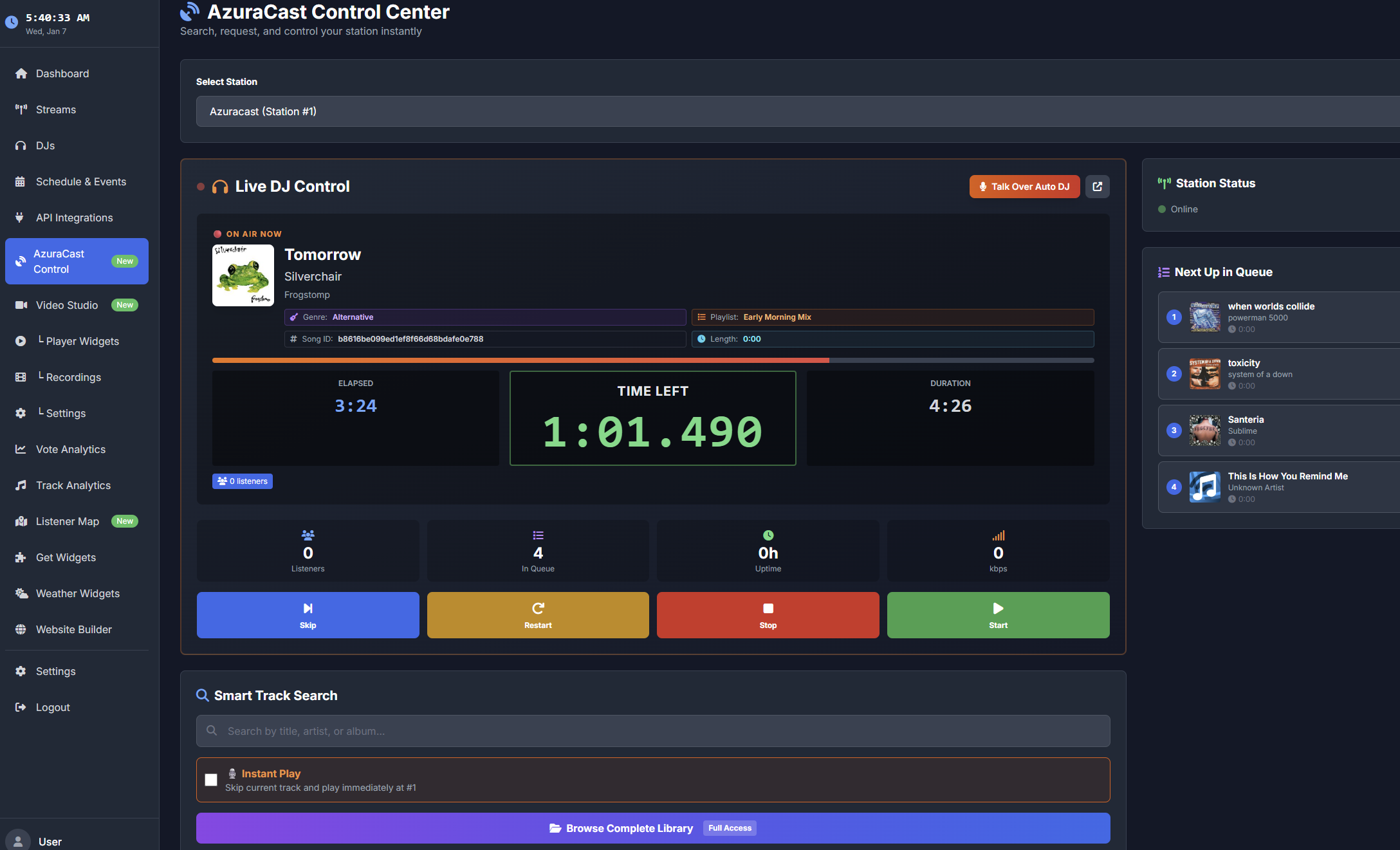
Pull songs, DJs and schedules from AzuraCast, fill in artist bios and artwork automatically, and share what's playing on social media.
Each widget refreshes itself every 10 to 30 seconds and resizes for phones, tablets and desktops.
Websites, TV screens, app directories and search: your plan comes with the tools to show up in all of them.
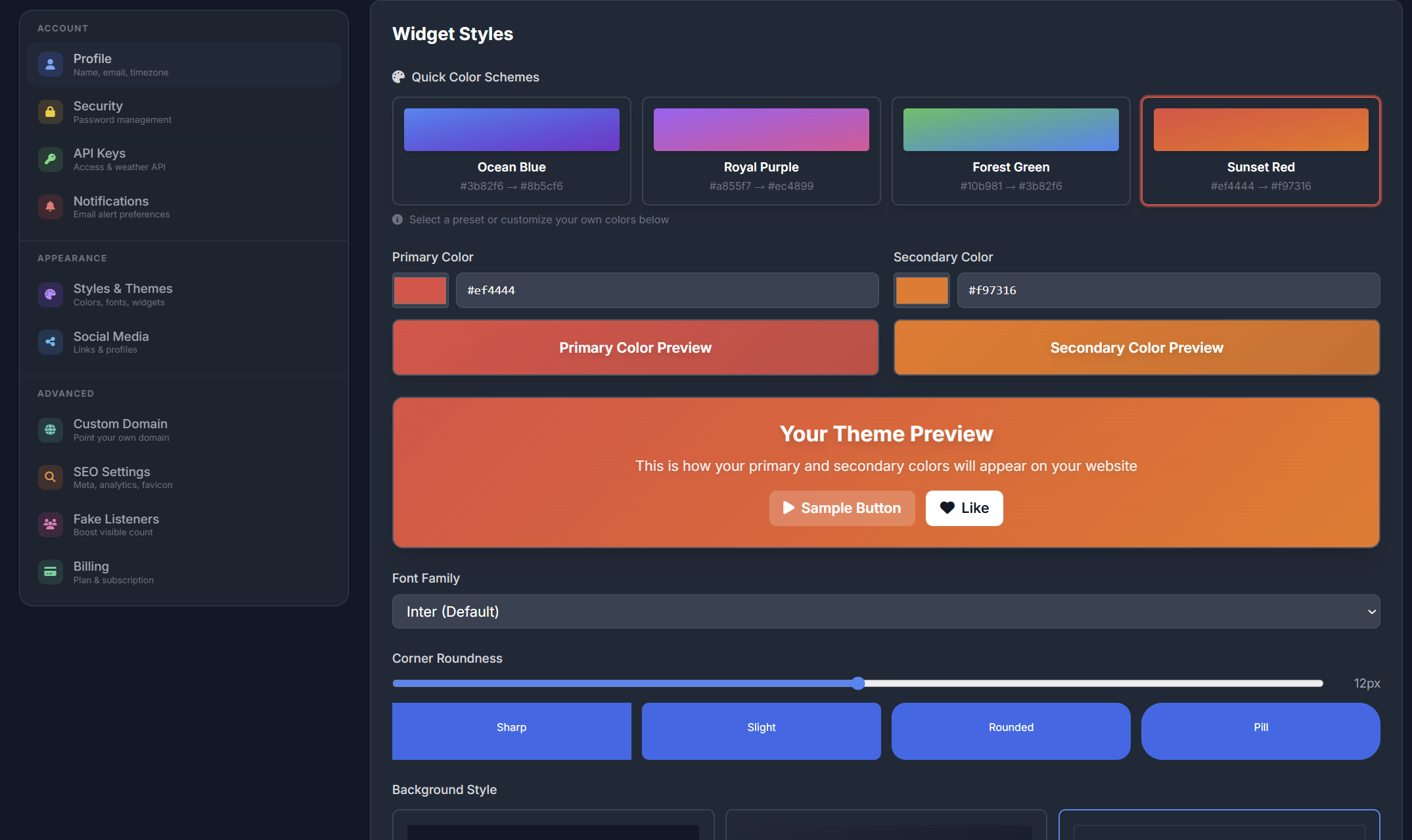
Pick a theme, or have the AI Site Builder build a layout from your songs and events, with the player, schedule and DJs already in place.
Browse the themes →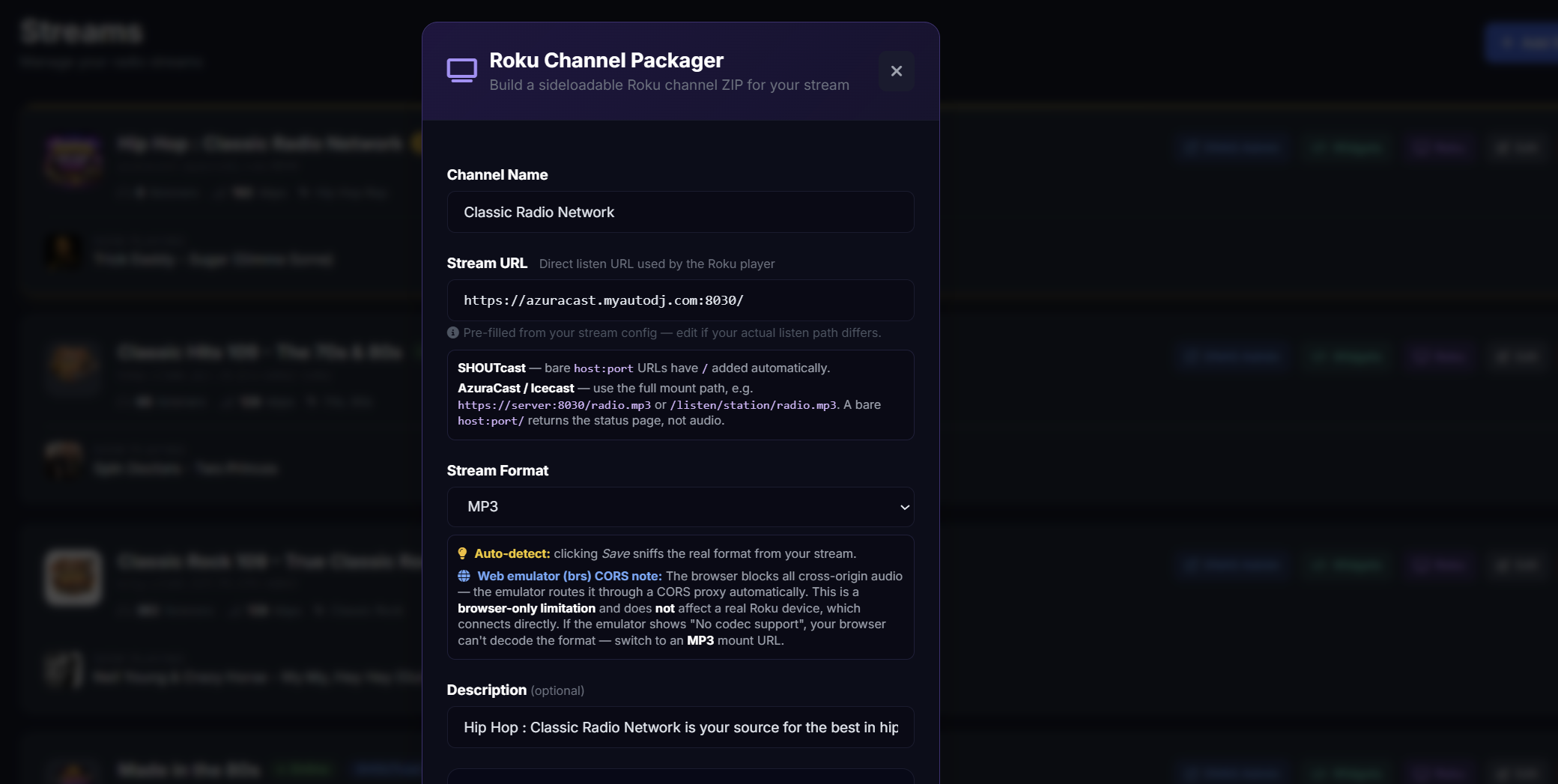
Package a branded Roku channel that streams you live in living rooms, without writing a line of code.
Build a Roku channel →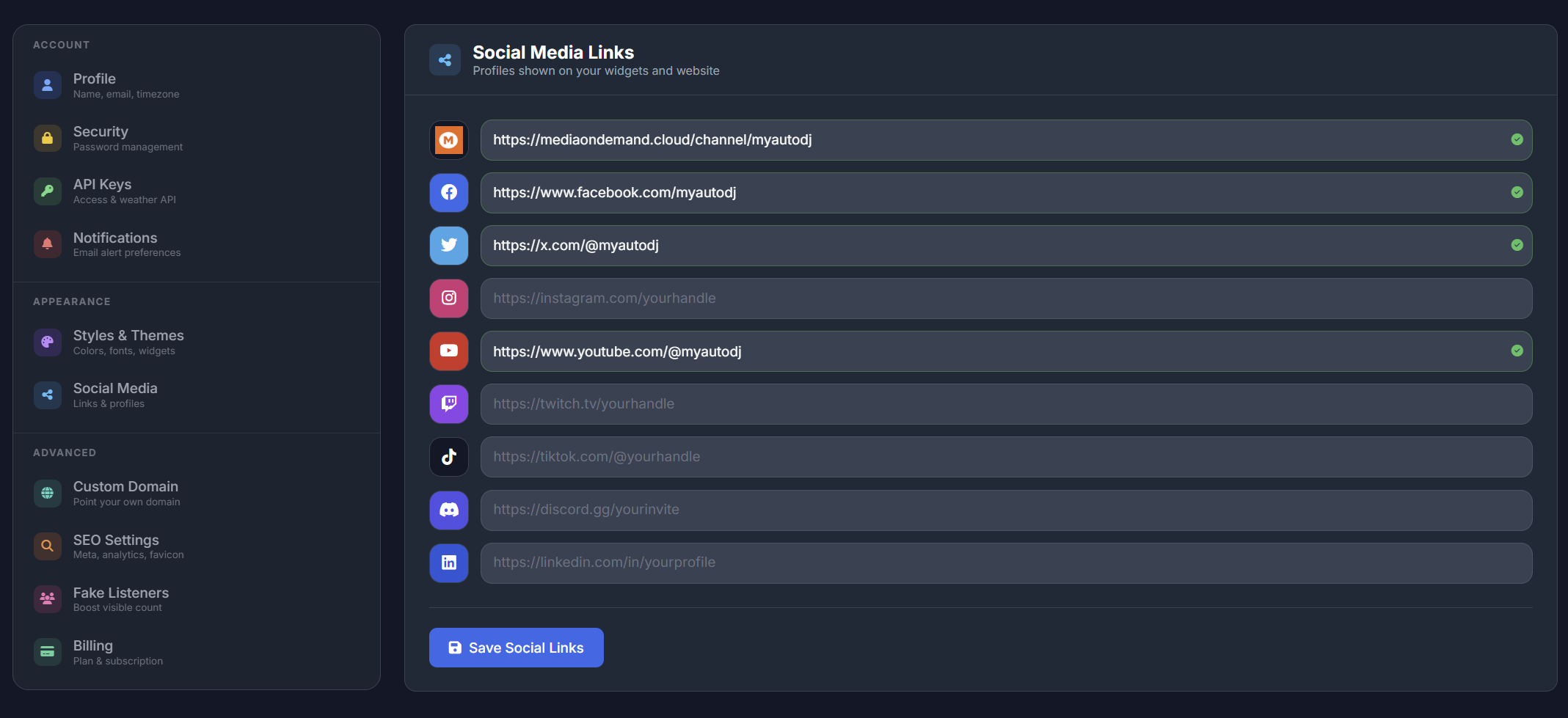
Each new song reaches TuneIn within seconds, with ads and breaks flagged, and one public feed hands your now-playing data to apps and directories.
Set up TuneIn →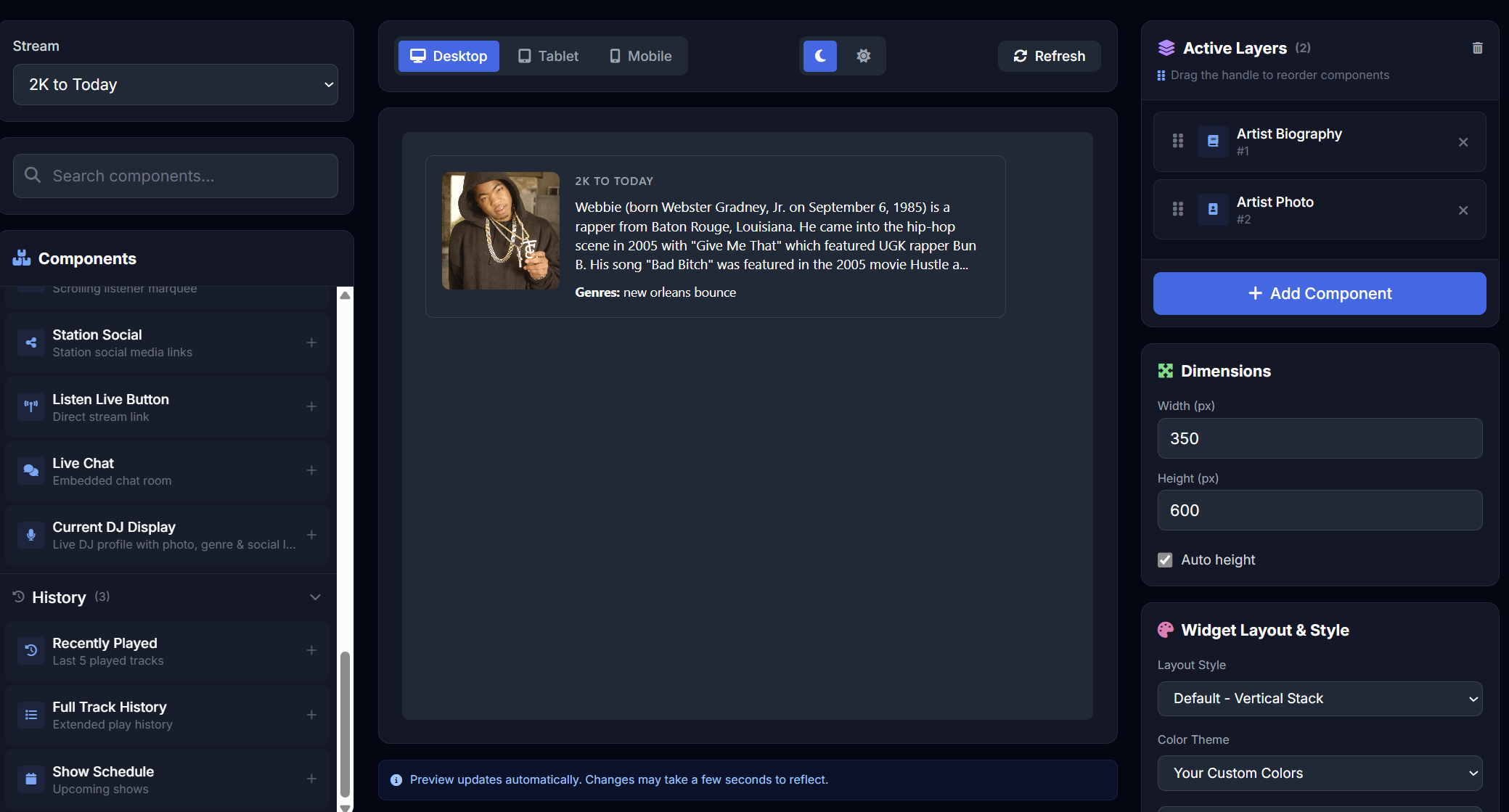
Biographies, photos and genres for thousands of artists, collected since 2012, with a free JSON API and ready-made prompts for your AI.
Search the library →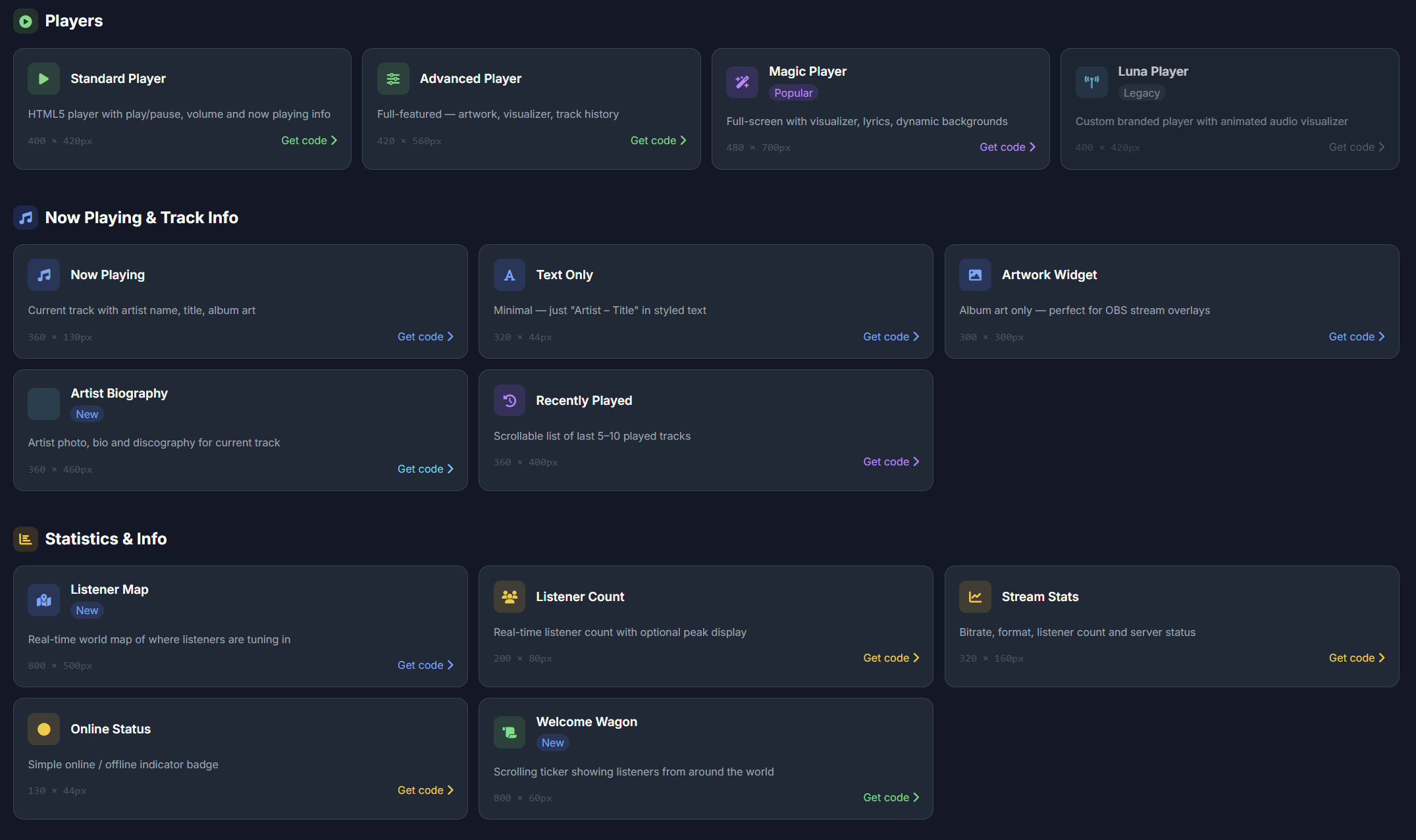
Paste your stream address, pick your colours and copy the code. No account, no ads, no link back to us.
Make a free player →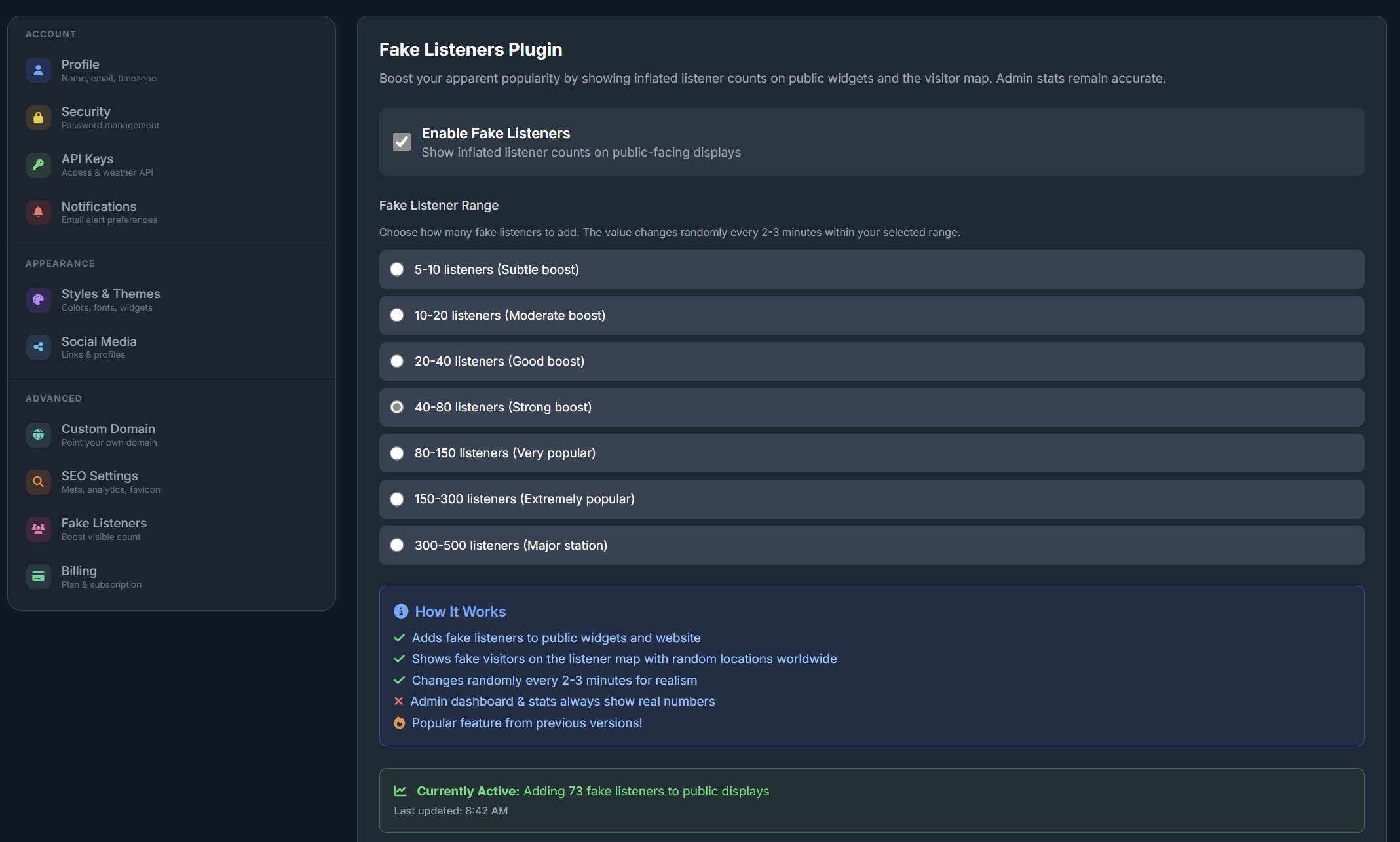
Set a listener boost for each stream; it carries through to your count widgets and the listener map.
How Listener Boost works →It began in 2012 with one small idea: let a station show its listeners which song is playing, right on its own website.
Ten versions on, that idea has grown into a full broadcast platform, and nearly every feature on this page started as a request from a station that uses it.
The first widgets showed the current and last-played songs on any station's site, alongside a free web player generator.
Artist profiles, a DJ manager with scheduling, listener stats and maps, and a hosted control panel joined one by one.
Ready-made themes with the player, schedule and DJs inside, and a switch from Flash to HTML5 players that play on any device.
A new platform on modern PHP with 20+ widgets, events, DJ pages, AzuraCast control, the website builder, analytics and WHMCS provisioning.
A two-deck booth in the browser with a ducking mic, 12 effect pads, voice tracking, mix recording and a Go Live button for AzuraCast.
The Simulcast theme and IPTV-CP channels bring video in, TuneIn now hears about every song within seconds, and a public feed powers listening apps. AzuraCast control is also locked to the stations your own API key manages.
These are in progress now. Got an idea of your own? Send it over.
Every plan unlocks the full widget library and the Simulcast theme. You only choose how many streams you run.
Prices in US dollars. Secure checkout and instant setup through HiredHosting.
Already a customer? Sign in at v10.shoutcastwidgets.com. Billing lives in your HiredHosting account.
Nothing. The widgets, the website themes and the DJ Studio all run in a web browser, and widgets go onto your site with a snippet you paste in.
AzuraCast, SHOUTcast 1 and 2, Icecast, Centova Cast and MediaCP for audio, plus MediaCP or IPTV-CP for video. Add a stream one time and all of your widgets use it from then on.
Yes. If your site lets you paste HTML (WordPress, Wix, Squarespace, Weebly and most others) the widgets will work, and they resize for phones by themselves. Rather not build a site? Publish one of our themes instead.
Three things: your panel linked to AzuraCast through its API key, Streamers/DJs switched on for that station, and a DJ account. Type the DJ login into the studio, press Go Live, and AutoDJ hands over a few seconds later.
No. It is a separate Streamer/DJ account that you create inside AzuraCast, on your station's Streamers/DJs page. Your panel and AzuraCast admin logins won't work there.
Only once you press Go Live, or when you deliberately send a cart, a request or a voice track to AutoDJ. Everything else plays on your own computer alone.
Going live swaps AutoDJ for your mix and mic as it happens. A voice track, on the other hand, is a brief recorded link that AutoDJ slots between songs, so you don't have to be online when it airs.
Yes. They are public-domain recordings or sounds generated in your browser, so there is no licence to buy and no credit to give. You can also swap any pad for a sound of your own.
It costs nothing extra on any plan. Pair a minimum of one radio stream with an IPTV-CP channel or a MediaCP server, connected under Video Settings.
Widgets for your website, a ready-made station site, TV channels and a live DJ booth, all in the browser, from $4.95 a month.
Have an account already? Sign in